
Written with help from MinutesLink - free AI meeting notetaker for online meetings.
Written with support from MinutesLink — a free AI notetaker for online meetings.
A reminder isn't about actively chasing people. It's really just about keeping the momentum going. Most of the time, people aren't ignoring emails on purpose - they forget, they get distracted, or they open a message at the wrong moment and never follow up. It's not that someone doesn't care - emails just get lost in the noise of it all in these busy environments where there's a constant stream of meetings, Slack messages and urgent requests.
Sending reminders thoughtfully can avoid missed deadlines and keep projects from quietly grinding to a halt. A simple follow up, written with the right tone, can make all the difference between progress and silence.
A gentle reminder email is - well calm, neutral and steady. It's not trying to charm or pressure anyone - just simply stating the facts clearly and professionally. The tone is level headed and respectful.
This type of reminder works best in formal situations, especially if you're writing to a senior or someone you don't know very well. If the due date is approaching but no urgent action is needed yet, a gentle reminder helps you send a reminder without ratcheting up the tension.
It's the email equivalent of saying "Just keeping this on your radar" without any emotional undertones.
A friendly reminder has a bit of warmth to it. It feels human. Friendly reminder emails often start with a friendly greeting and might include a quick check in or a quick recap of the last message.
When you write just a friendly reminder, you're signaling that you're on the same team - not in a position of authority. Phrases like "just a friendly nudge" or "quick reminder" soften the message while still encouraging action.
This approach works great in ongoing relationships where you already know the person. The tone is warm but still structured and this is what actually increases response rates without feeling forced.
Both types are polite, it's just that a gentle reminder email keeps a bit more emotional distance, while friendly reminder emails let a bit of personality through.
If you're dealing with missed deadlines, overdue payments or sensitive deadlines, emotional control matters. Neutral language is key to preventing defensiveness when money or accountability is involved.
If you're reminding someone about a meeting or a project, warmth may be more effective. The right tone depends on the context, not your preference.
To make the difference between a gentle reminder email and a friendly reminder email even clearer, here’s a side-by-side comparison:
Use a gentle reminder email in formal or high stakes situations. If you already sent a first follow up and don't want to come across as demanding, this approach will protect your credibility.
It's also a good one to use when referencing a due date that hasn't passed yet. You can say you're sending a gentle reminder at their earliest convenience, reinforcing expectations without creating pressure.
In business, steady professionalism usually wins out over forced friendliness.
Friendly reminder emails work best in collaborative environments. If you're reminding someone about an event, project or asking for details, warmth makes the message feel supportive rather than corrective.
For example, a friendly reminder email template for a meeting might include the Zoom link and just a quick note like "looking forward to catching up". That small human touch makes the reminder feel natural.
In teams where communication is frequent, friendly reminder emails maintain the flow rather than the formality.
It's natural to want to avoid sounding demanding, and that usually happens when frustration slips into your writing. Instead of writing "you haven't responded" try "I wanted to follow up on my previous email".
Every reminder email should have a clear call to action. If you don't specify what you're expecting - feedback, confirmation, payment etc - the message becomes vague and easy to ignore.
Clarity really makes all the difference here. A clear CTA doesn't feel aggressive - it feels helpful.
Your subject line pretty much determines everything. A specific subject line performs way better than a vague one like "Following up".
Mentioning the project name, invoice number or due date gives context right off the bat. For payment reminders, including the invoice number in the subject line cuts down confusion and speeds up payment.
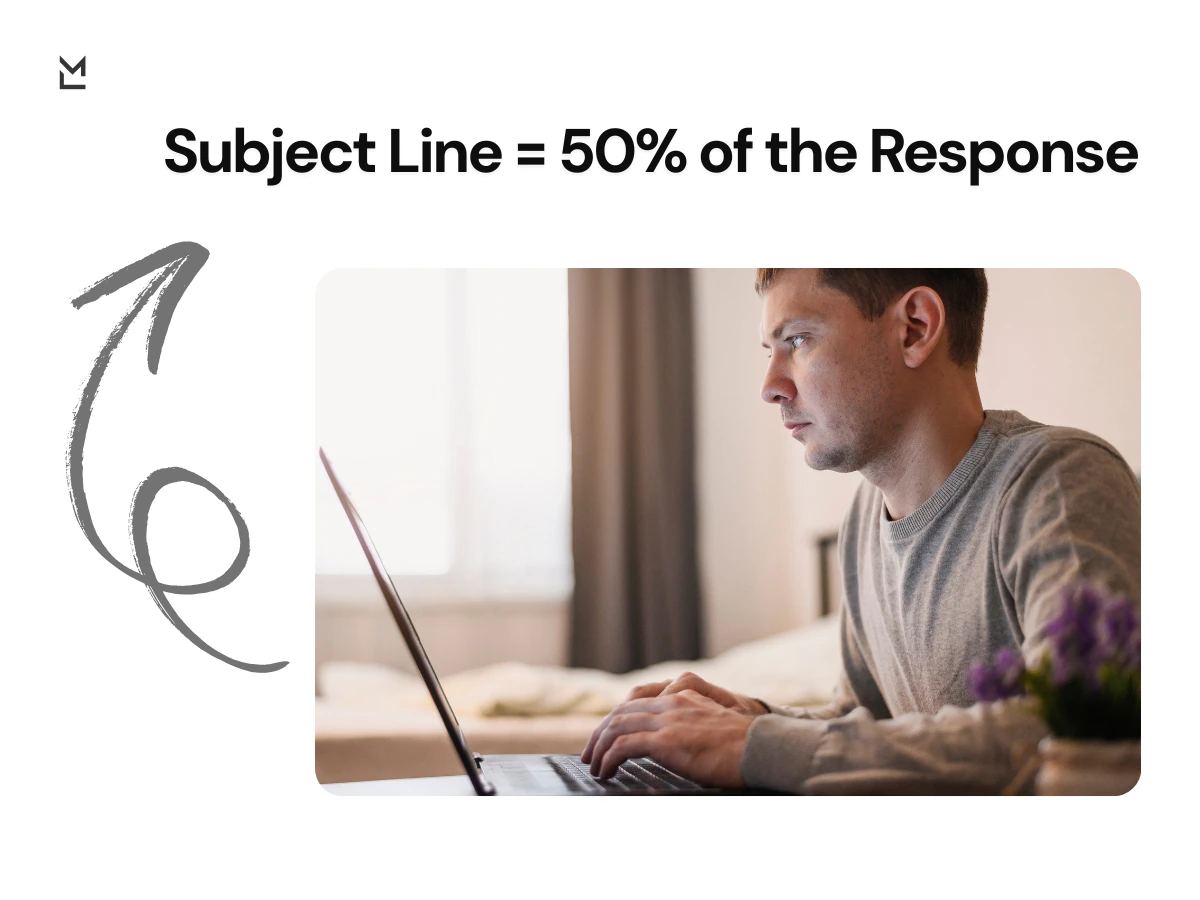
People respond faster when the message makes sense from the start.
Your reminder email's subject line is the very thing that can mean the difference between getting a response and being ignored altogether. A completely generic subject line like "Following up" is bound to fall flat, but one that's clear and to the point cuts through the noise immediately and tells the recipient why they really need to take a look at the email. The clearer the subject line, the quicker people will get the message and do what you need them to do.
Here are some examples that tend to work out pretty well in different situations. If you're just gently poking someone to get a response, you might go with something like "Just a gentle nudge - we need your feedback on the Orion proposal" or "Reminder: we're still waiting on that Q4 report by the end of the week". For friendly reminders, something a bit more casual like "Just a heads up about the meeting tomorrow" or "Just checking in" can keep things friendly but still get the point across.
When it comes to payment reminders, clarity really is key. Something like "Payment Reminder – Invoice #4582 Due March 12" or "Invoice #4582 has gone past due - reminder to pay asap" makes sure the message doesn't get lost and gets the recipient moving on it as quickly as possible. The goal here, as it is with any reminder, is to make sure the message makes complete sense and does the job without you even having to bother sending it.
Subject line: Gentle Reminder – Orion Project Feedback Wanted
Hi Emily,
Hope you're doing all right. I just wanted to send a gentle reminder about that Orion project proposal I sent your way last week. When you've got a spare moment, I'd really appreciate it if you could give it some feedback.
Thanks for your time,
Best regards,
Daniel
This gentle reminder email gets the tone just right without being too pushy, references the project name so there's no confusion, and makes a polite ask without sounding too demanding. It's concise, respectful, and keeps the relationship professional.
Subject line: Just a Quick Reminder About Our Meeting Tomorrow
Hi Chris,
Oh, just to make sure you remember – we've got a meeting tomorrow at 2 pm. Here's that Zoom link again, just to make sure you won't forget.
Looking forward to seeing you tomorrow,
Best regards,
Mia
This friendly reminder email template is pretty relaxed, but still gets the point across and keeps things friendly and personal.
Sending a reminder email isn't rocket science – it just takes a few basic steps. Begin with a greeting that doesn't sound like every other email – a simple nod to the project or a quick reference to your last email can help people put things in context.
Next up, just give a quick reason why you're emailing. Recap what you last said to keep things grounded and prevent people from having to go searching for what you said before. Keep it straightforward and neutral, especially when it comes to something like a deadline or a missed deadline.

Now it's time to tell the recipient what you actually need from them. Make it clear – do you need confirmation, approval, payment or just some feedback? Finally, just wrap things up with a standard sign off, like "Best regards". Keeps things polite and professional.
Payment reminders can be tricky – when you need to bring up an overdue payment or a late payment situation, stick to the facts. Include the invoice number, due date and payment link clearly in the email.
Try not to get too emotional - no assumptions, no dramatic language. A polite reminder about an overdue payment is just a straightforward message that says the due date has come and gone and you've got a payment link if they need it.
Keeping things clear does the trick - emotion just gets in the way.
When a deadline is looming, clarity is more important than emotion. A deadline reminder email should reference the exact date and project name to avoid any confusion. Keeping the language neutral prevents the message from sounding too pushy.
Subject line: Deadline Reminder – Phoenix Project Report Due March 15
Hi Sarah,
Just a quick reminder that the Q4 report for the Phoenix project is due on March 15. Can you let me know if everything is on track or if you need any more details from me?
Cheers,
Best regards,
Alex
This type of reminder email just reminds people of expectations without getting too pushy.
Sending too many reminders can put a strain on relationships – after your first follow up, it's worth waiting a bit before sending another reminder. If you've already sent two reminder emails and got nothing in return, it might be time to pick up the phone instead of firing off yet another email - sometimes a call feels less repetitive than another email.
Persistence is key but so is being respectful.
There's a very common mistake people make when sending reminders - sending generic emails that could apply to anyone. If your reminder doesn't even mention the project name, the last email or the due date, the person is just going to forget about it.
Another mistake is using over the top language that implies it's urgent when it really isn't - too many of these emails can wear away at people's trust over time.
Even your signature and sign off matter - a simple "Best regards" helps keep things professional and consistent.
Starting your reminder with a personalised greeting makes a big difference right from the start. Mention someone's job title, refer back to a previous message or even just recall a detail from a meeting you had scheduled - that makes the reminder feel more like you're actually trying to get in touch rather than just blasting off a generic email.

People are way more likely to respond when they feel like they're being seen rather than just being processed. Even small touches of personalisation can make a big difference to response rates.
The goal isn't to be overly familiar - it's just to show you care a bit.
Lots of reminder emails are about meetings - instead of sending off some vague follow up like "Just a reminder about what we talked about", why not insert a link to a proper meeting summary?
MinutesLink will auto-generate summaries, action items and clear timelines after a call. When you attach those structured notes to your reminder, it becomes a fact-based message rather than some emotional plea for action.
Instead of sounding like you're nagging someone, you're referencing the documented agreements you had - and that makes a big difference.
After a meeting, sending a reminder email can be a really effective way to follow up on the action items that came out of it. Rather than sending some vague message like "Just a quick reminder of what we chatted about", why not actually mention the key stuff that was decided on and what needs to be done next? This keeps the whole thing on track and sounding professional.
Recapping the basics of what was agreed on is also a good idea - it stops people getting confused about what they're supposed to be doing. Mention the project name, who's responsible for what and when they need to get it done by - and your reminder will be one that feels helpful rather than pointless.
Using something like MinutesLink makes this even easier still. Because it automatically takes minutes and flags up the action items, you can just pop in a link to the summary of the discussion and suddenly your reminder is a clear, no-nonsense call to action.
Most missed deadlines aren't because people are being careless - they're because they weren't clear on what was expected. Sending a reminder before the due date stops any friction later on.
If your meeting notes already outline who does what and by when, your reminder is just a helpful nudge to keep things on track. Using a tool like MinutesLink to keep track of decisions and next steps makes your email even more precise and confident.
Having clear docs really can cut down on awkwardness.
Encourage action by explaining why the response matters. Instead of implying someone has messed up, frame the reminder as a way of helping the project move forward.
When the tone is steady and the call to action is clear, your message feels constructive. A reminder should feel like we're in it together, not like some kind of confrontation.

Changing that mindset makes a huge difference.
A reminder email is not about chasing someone down - it's about showing leadership, being organised and clear. A gentle reminder protects professionalism in formal settings, while a friendly reminder email keeps things collaborative in a more relaxed setting.
When written with some thought, reminders actually strengthen communication rather than straining it. And when you've got a structured meeting summary and documented action items from MinutesLink to back it up, your follow up feels solid and fact-based rather than just an emotional plea.
The kind of reminder you send can either build trust or damage it.
A gentle reminder email is one where you keep things pretty straight laced, while a friendly reminder email is more like a warm hello. It's not about being nice or not - both are polite - it's more about how much distance you want to put between yourself and the email. A gentle reminder stays professional and steady, especially when you're in a big stakes or formal situation. On the flip side, a friendly reminder email works way better in a collaborative workplace. These kinds of emails are usually full of a friendly greeting, a quick rundown of what happened before, or a softer phrase like "just a friendly reminder". At the end of the day, the right choice really depends on the situation - if you're dealing with overdue payments or accounting issues, sticking to neutral language is probably your best bet; but in a team environment, a bit of warmth can go a long way.
Sending a reminder email without coming across as a nag is all about getting the message across in a super clear way, rather than getting emotional about it. Instead of implying you're fed up or frustrated, try referencing your previous email in a way that's super neutral, like "I wanted to follow up on..." or something like that. That way you can keep the tone professional and avoid making the other person feel like they're under the gun.
Another thing to try is making sure your reminder gets straight to the point. What does the other person need to do? Spell it out clearly and keep it concise. If you make your message too vague, you're just going to confuse the other person; if you make it way too clear, they'll probably respond right away.
A polite reminder email is what happens when you keep it practical rather than getting all emotional. Keep it short, structured and respectful, and you're likely to get a better response without stressing out the other person.
Generally speaking, it's a good idea to wait a couple of business days before sending a follow-up email. If there's a deadline or meeting looming, you might want to send a reminder a bit sooner - timing is everything, but tone counts even more.
If you've already sent one reminder and still getting nothing back, it's probably a good idea to wait a bit longer before sending another reminder. If you start sending too many reminders too fast, you're going to start to put pressure on the other person and make it way less likely they'll get back to you.
If two reminders fail to get a response, it might be time to switch to a quick phone call instead. Your goal is to get back in touch, not overwhelm the other person.
The subject line on a reminder email is way more important than you might think. A good one is clear and to the point - so don't just write "following up", for example. Instead, put the project name, invoice number or due date right in there. A subject line that's this clear is going to get a lot more opens, and a lot less confusion.
A generic subject line is just going to get lost in the noise. To avoid that, try something like "Gentle Reminder - Q4 Report Due March 15". For payment reminders, including the invoice number makes it way easier to process and gets people to respond a lot faster.
The subject line should make it clear right away why this reminder is important. When the purpose is obvious, people are way more likely to open it and get back to you pronto.
When you're writing a reminder email after a meeting, try to focus on the specific tasks that came out of the meeting, rather than just sending out a vague reminder. A quick summary of what was agreed on will keep everyone on the same page and reduce misunderstandings. Mention the project name, responsibilities and timelines clearly.
If you've got documented meeting notes, it's a good idea to include them in your follow-up. Tools like MinutesLink can make this a whole lot easier, by automatically generating summaries and highlighting the key points. Then you can just link to it and keep the reminder nice and structured.
A reminder email after a meeting should feel like accountability, not pressure. When you focus on clarity and agreed next steps, your message is going to support progress rather than get in the way.
Trusted & Secure


.webp)



.webp)
.webp)
.webp)
%201%20(2).jpg)